Edit Screenshots Like a Pro
Re-Edit Anytime, Anywhere
Screenshot Whiteboard App by Analyze.Agency is more than just a capture tool - it's a full-featured screenshot editor. Add annotations, blur sensitive data, apply watermarks, and save editable projects to modify later. All features completely free.
Available on Windows • 100% Free
Advanced Editing Tools
Professional-grade tools for editing screenshots with precision and control.
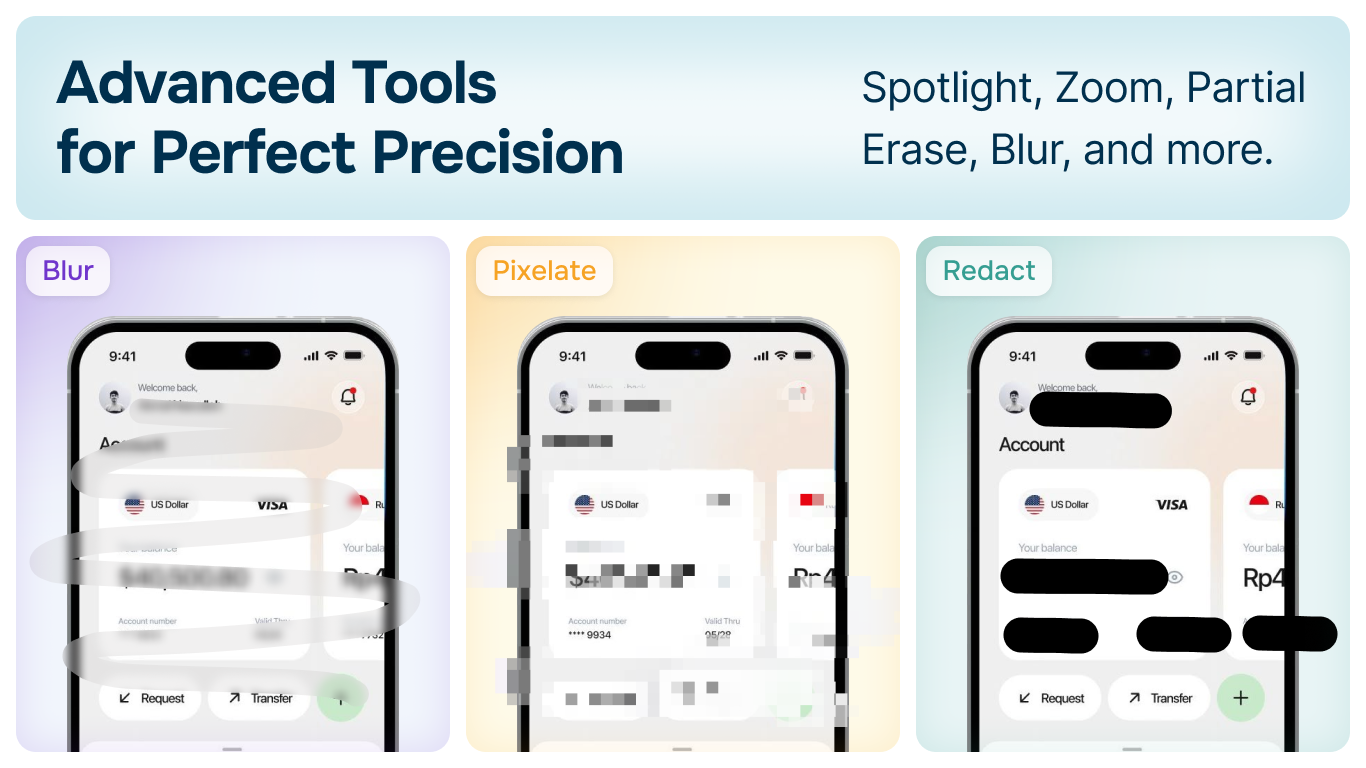
- ✓Blur and pixelate sensitive information
- ✓Redact confidential data completely
- ✓Spotlight and zoom for emphasis
- ✓Partial erase for precise corrections
Import & Re-Edit Anytime
Unlike other screenshot tools, your edits aren't permanent. Save projects and re-open them later to modify, update, or repurpose.
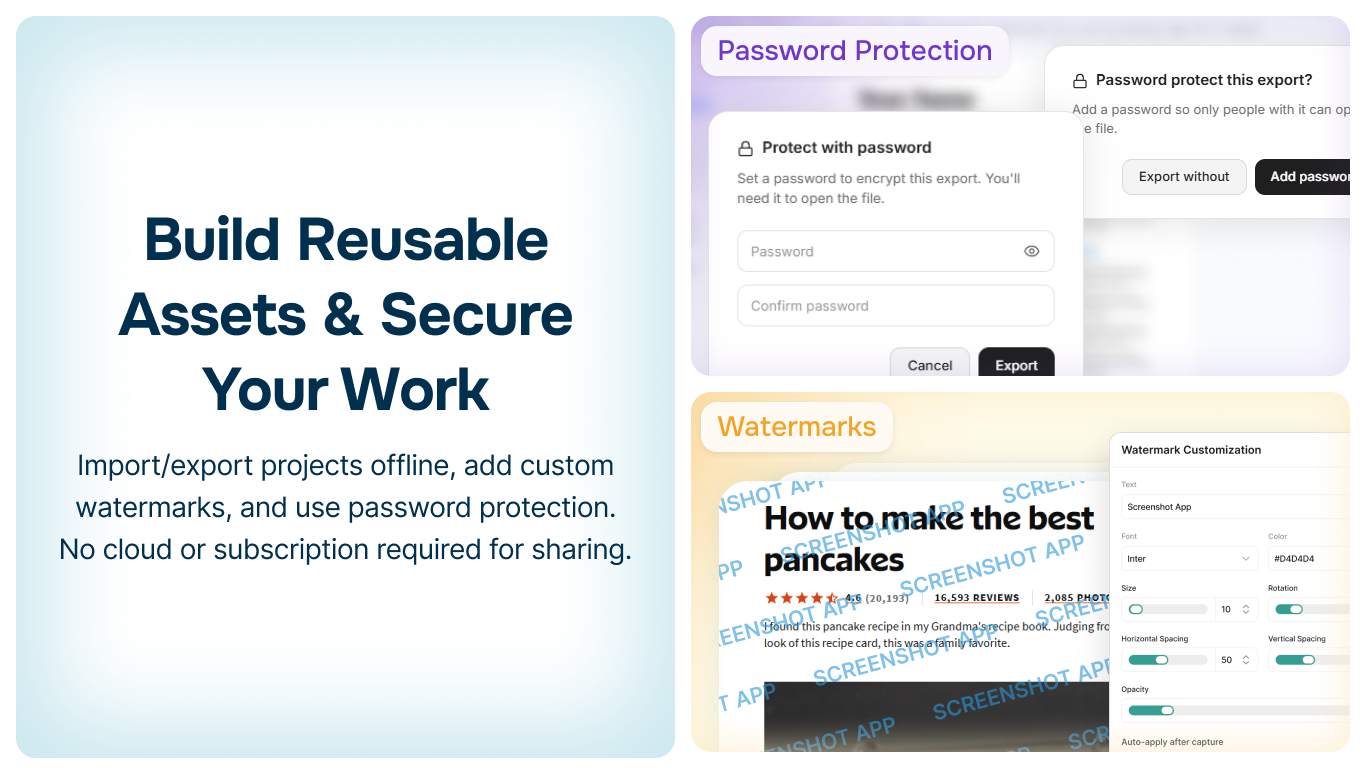
- ✓Save as editable project files
- ✓Re-open and modify annotations anytime
- ✓Build reusable screenshot templates
- ✓Password protect sensitive projects
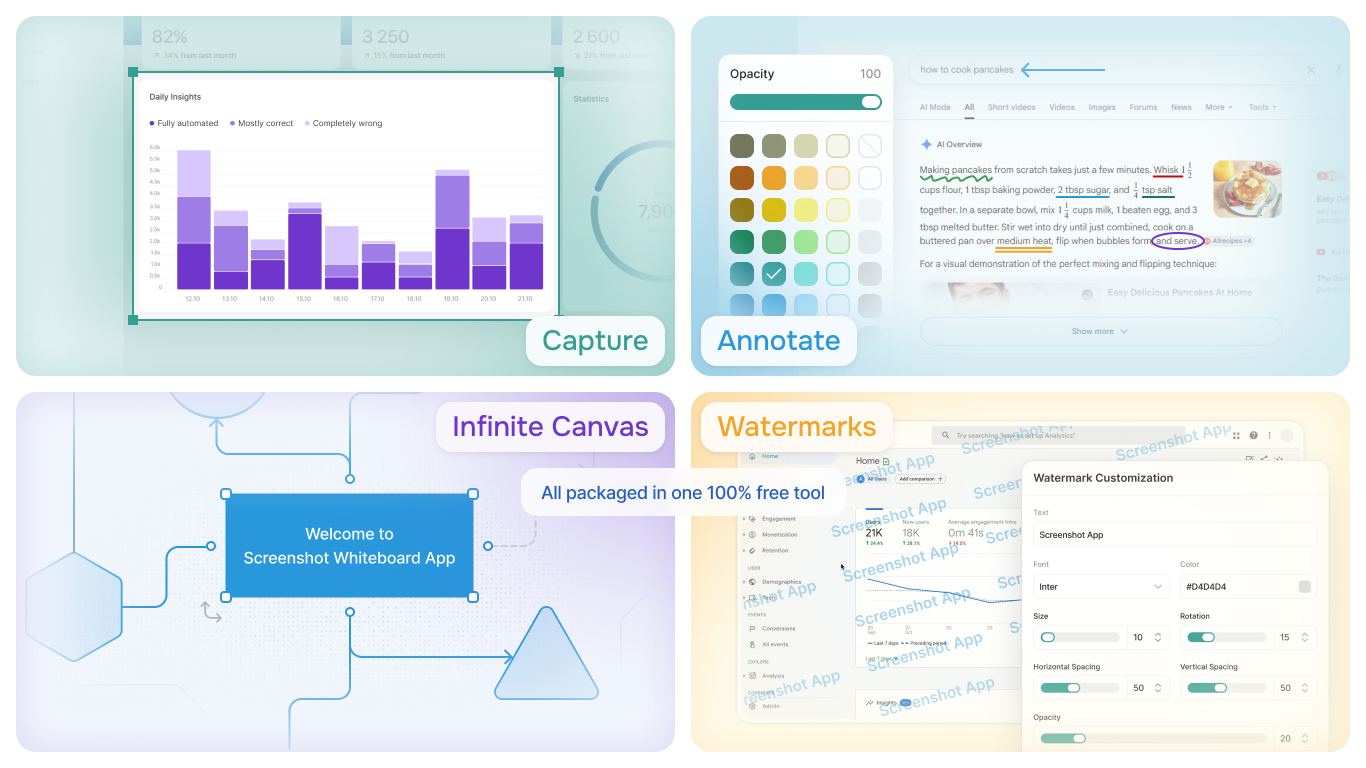
Complete Annotation Toolkit
Everything you need to create clear, professional screenshots
Text & Labels
Add custom text with font selection, size adjustment, and color options
Arrows & Lines
Point out features with customizable arrows, lines, and connectors
Shapes
Rectangles, circles, and custom shapes for highlighting and emphasis
Highlighter
Transparent overlay for drawing attention to important areas
Watermarks
Add custom watermarks for branding and copyright protection
Crop & Resize
Crop to exact dimensions or resize for different platforms
Your Privacy Matters
Edit screenshots offline with complete privacy. No cloud uploads, no data collection.
100% Offline
All editing happens locally
No Cloud Uploads
Your data stays on your device
Password Protection
Encrypt sensitive projects
Start Editing Screenshots Today
Download Screenshot Whiteboard App by Analyze.Agency and experience the most powerful free screenshot editor.
Read the Documentation