Screenshots that stay editable
The first screenshot tool where you can re-open and modify any annotation, anytime. Update documentation without starting over.
Edit today. Re-edit forever.
Other screenshot tools lock your work the moment you save. Not us.
Import any screenshot and modify everything: text, arrows, shapes, highlights. Your work stays flexible.
This is what makes us different from every other screenshot tool.
Everything you need
Professional screenshot and annotation tools designed for modern workflows.
On-screen annotation
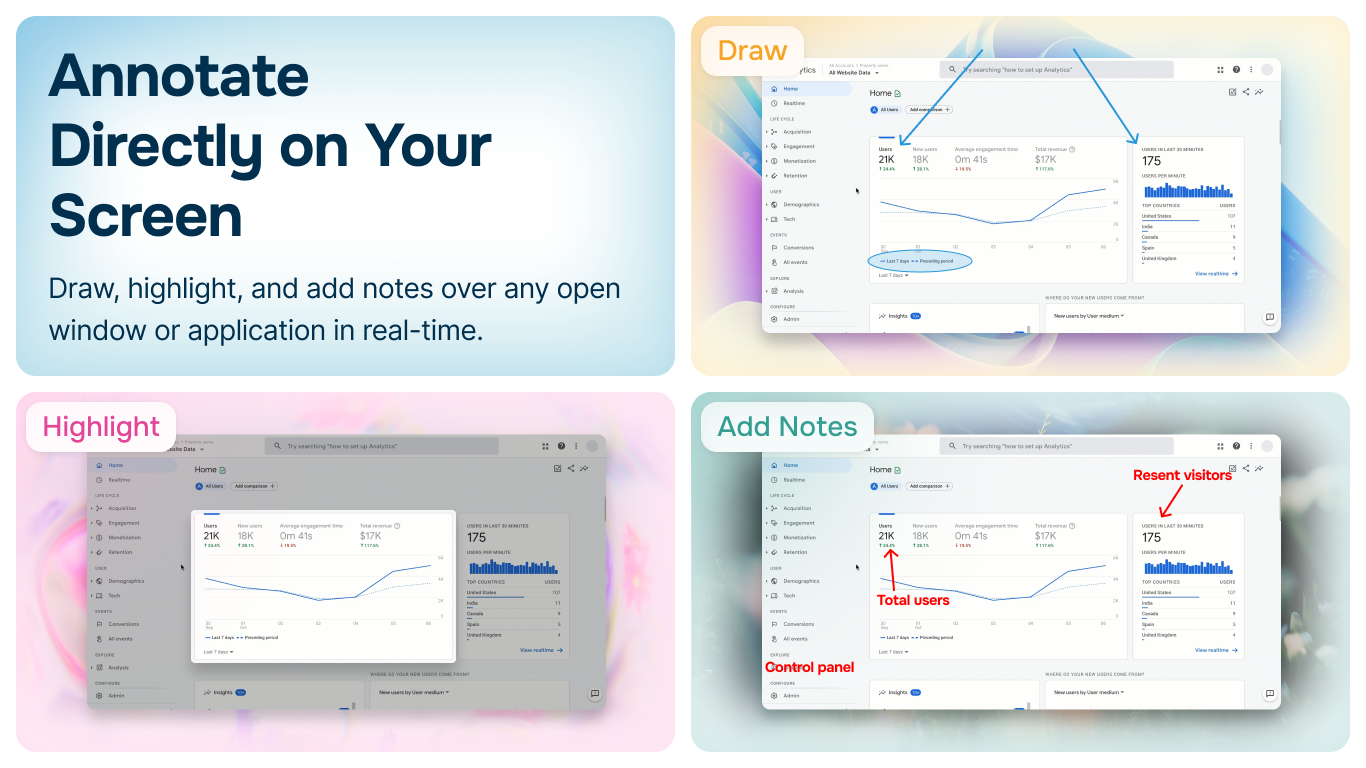
Draw and annotate over any window in real-time. Perfect for live presentations, demos, and training sessions where you need to highlight specific areas without taking a screenshot first.
- •Annotate over any application window
- •Real-time drawing and highlighting
- •Capture with annotations included
Professional toolkit
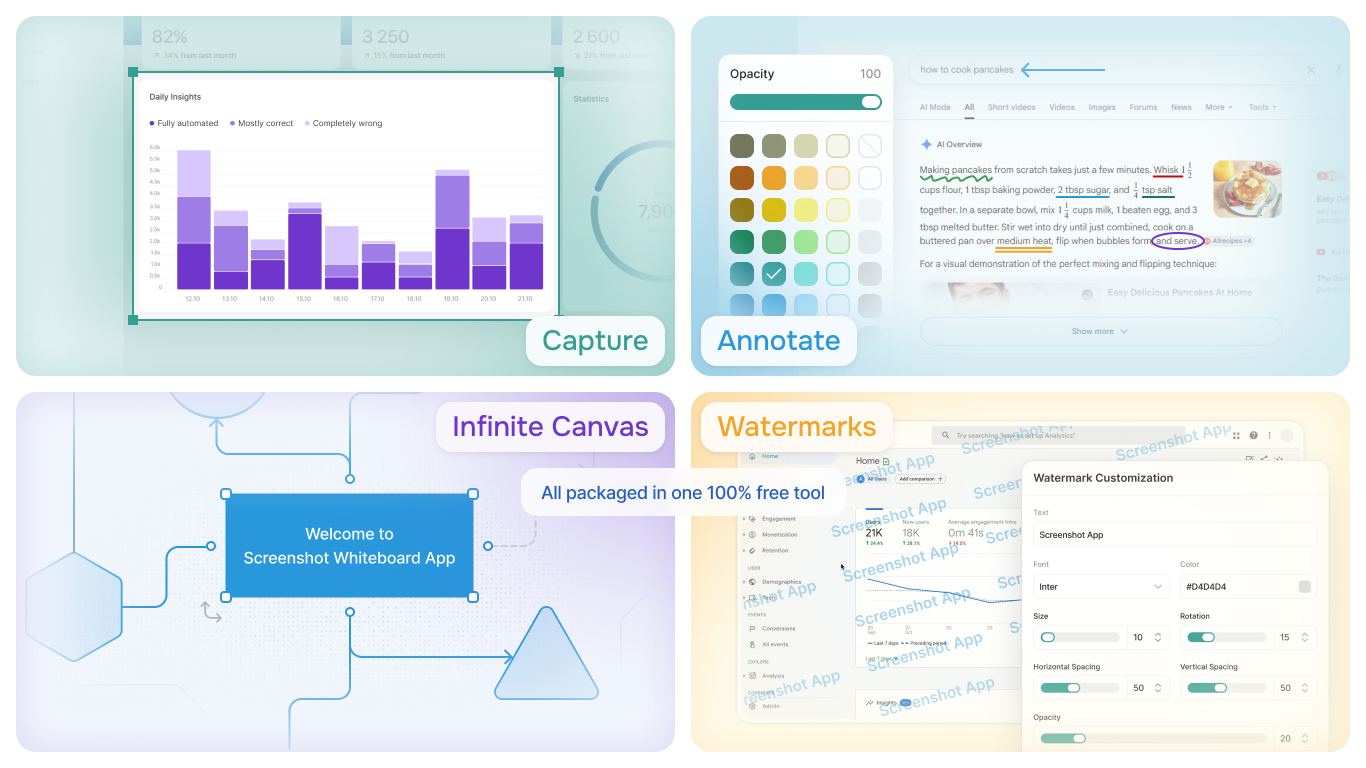
Complete set of annotation tools including arrows, shapes, text, highlighters, blur, pixelate, and custom watermarks. Everything you need for professional documentation and visual communication.
- •Arrows, lines, and shapes
- •Text boxes and highlighters
- •Blur, pixelate, and watermarks
Infinite canvas
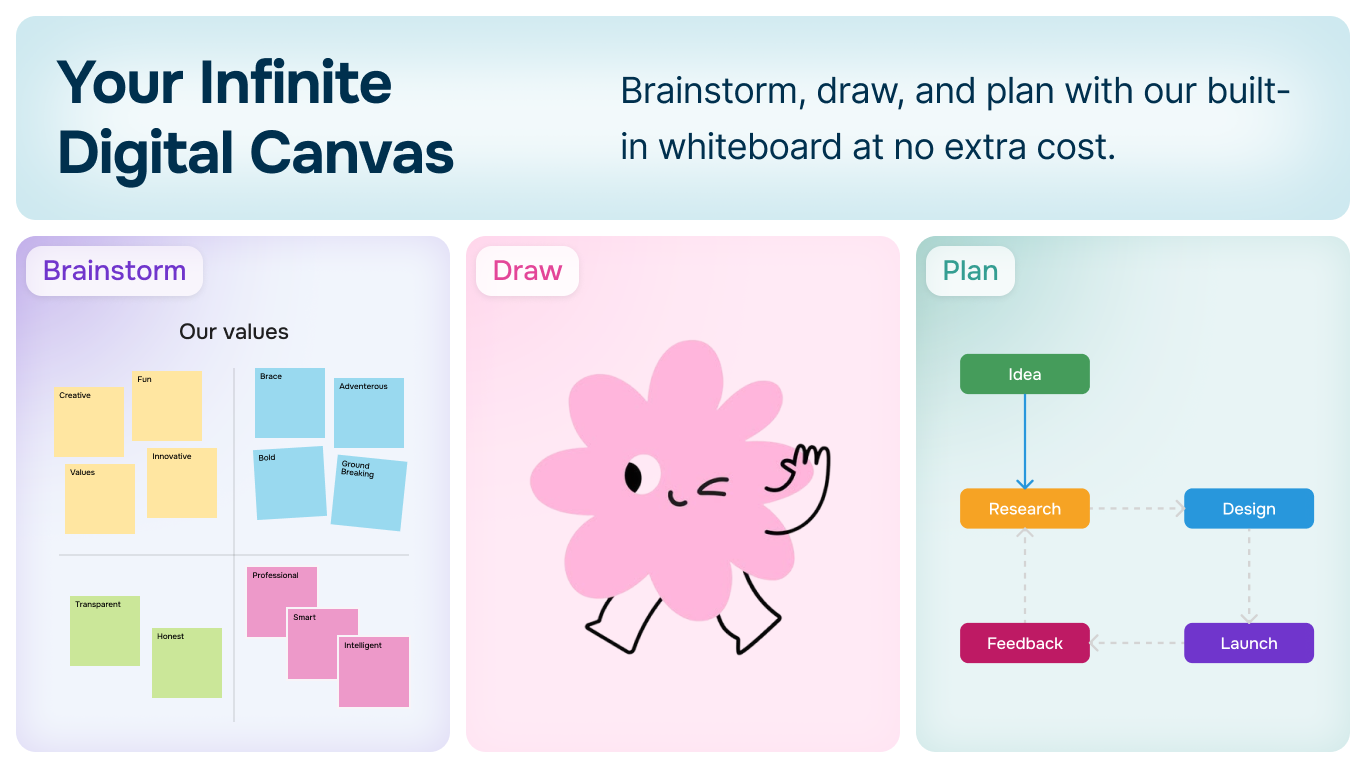
Unlimited whiteboard space for brainstorming, flowcharts, and combining multiple screenshots into comprehensive visual documentation. Perfect for planning and organizing complex projects.
- •Unlimited canvas space
- •Combine multiple screenshots
- •Create flowcharts and diagrams
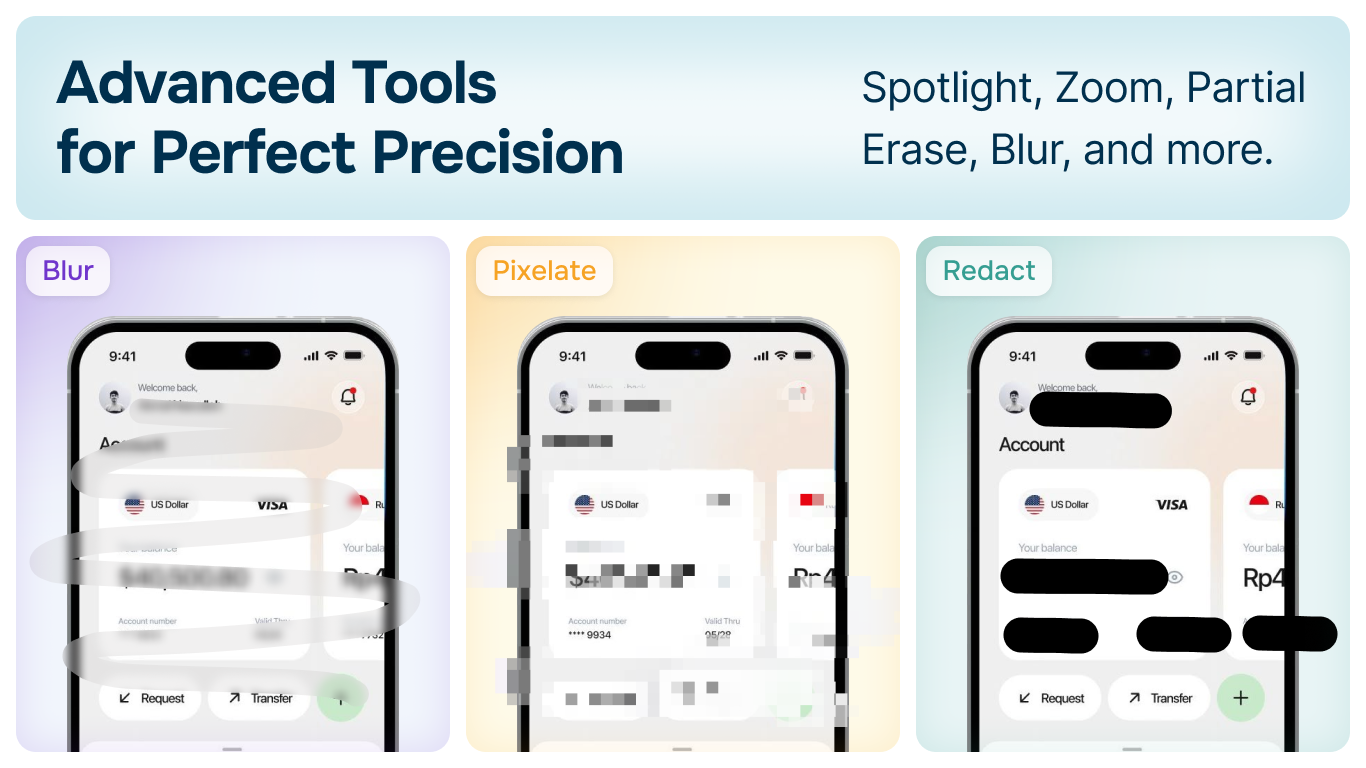
Advanced tools
Precision tools for professional results including spotlight, zoom, partial erase, blur, pixelate, and redact features. Perfect for hiding sensitive information while maintaining document clarity.
- •Spotlight and zoom features
- •Blur and pixelate sensitive data
- •Partial erase and redact tools
Flexible capture
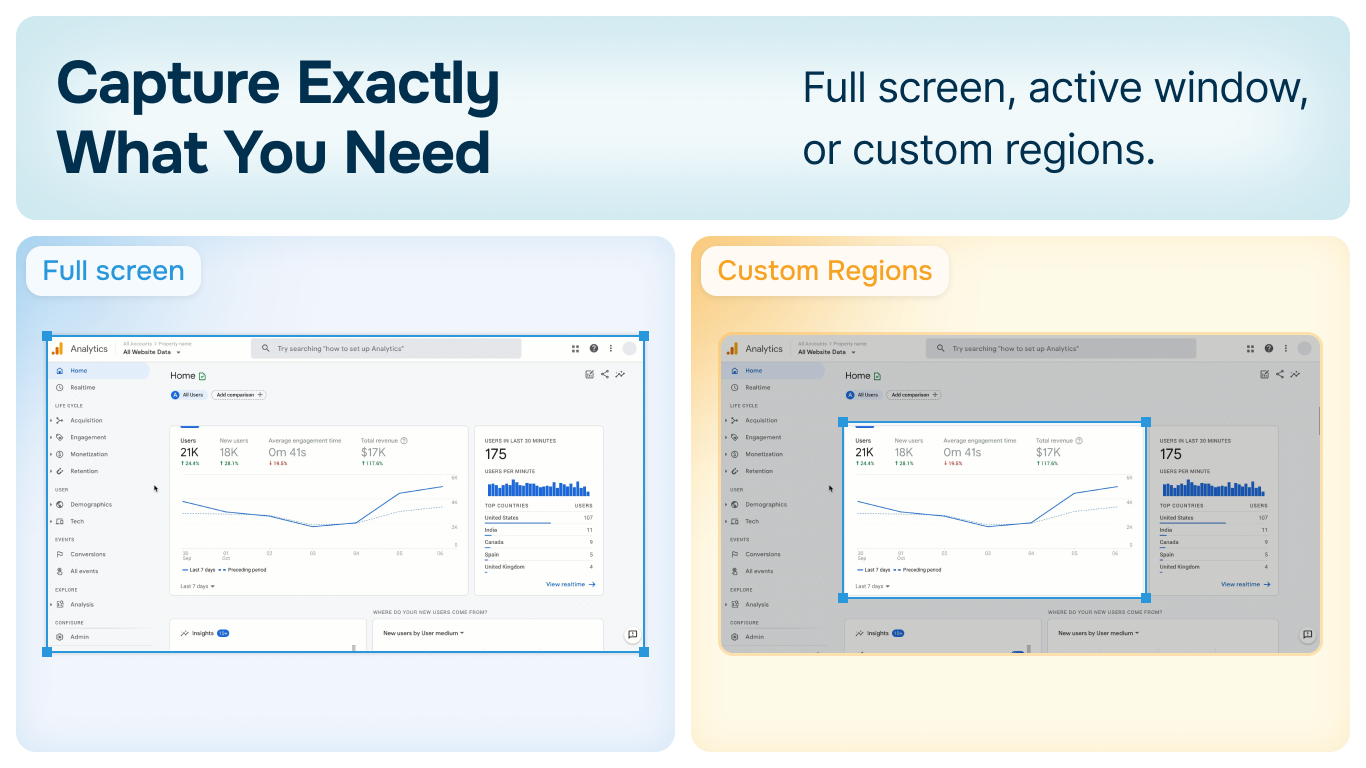
Capture exactly what you need with multiple capture modes. Choose from full screen, active window, or custom regions to get the perfect screenshot every time.
- •Full screen capture
- •Active window capture
- •Custom region selection
Privacy first
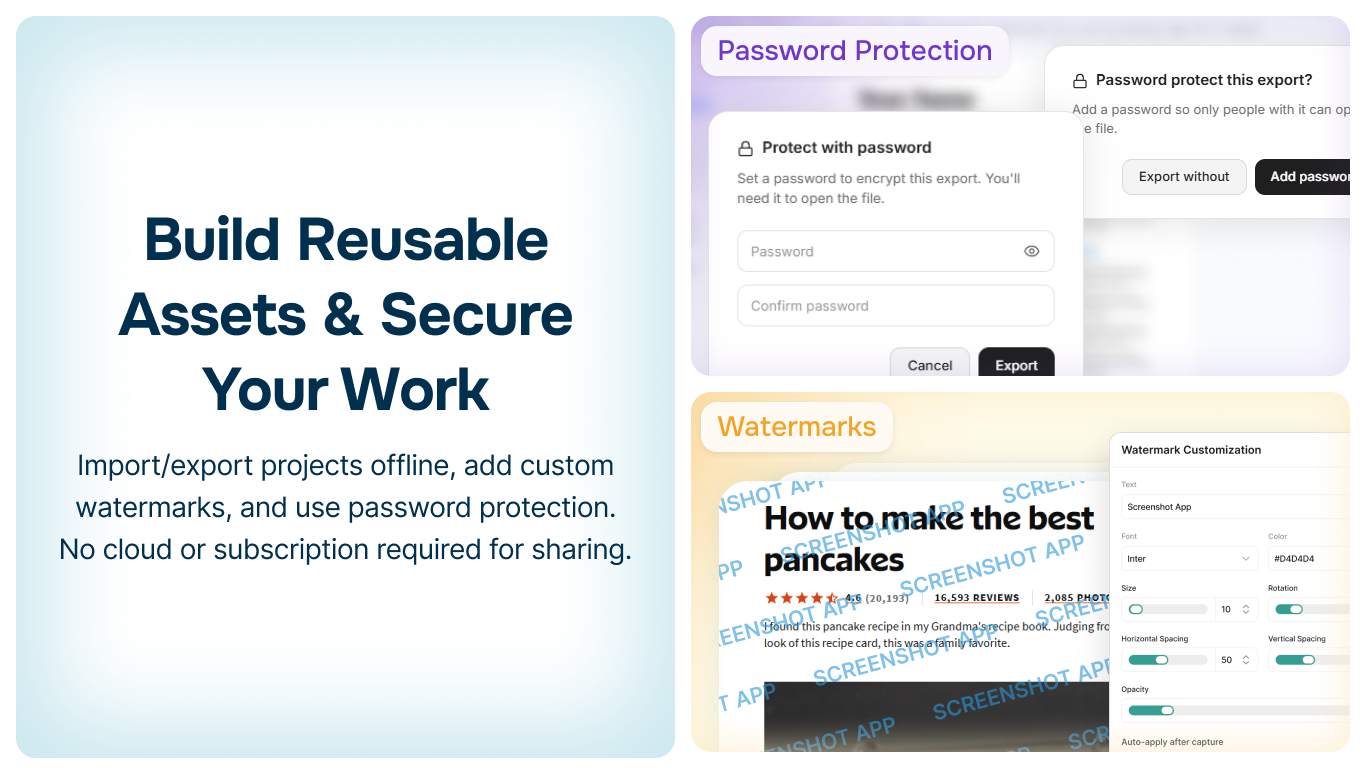
100% offline operation with password protection. Your screenshots and projects never leave your device. No cloud upload, no data collection, complete privacy.
- •Works completely offline
- •Password protect your projects
- •No data collection or tracking
Intelligent Shape Protocol
Smart shape recognition and connection system built for flowcharts and technical diagrams.
Auto-connects
Shapes snap and connect intelligently
Relationship aware
Optimizes shape connections
Perfect diagrams
Ideal for flowcharts
No tricks. No subscriptions.
Everything you need, completely free. No hidden costs, no monthly fees, no cloud lock-in.
Free Forever
No subscription. No trial. No payment ever.
100% Offline
Your data stays on your device. Always.
No Cloud
Fast, private, and under your control.
Ready to get started?
Join thousands using Screenshot Whiteboard App for presentations, documentation, and visual collaboration.
Read the documentationWindows 10 & 11 • Free forever • No subscription • 100% offline • Absolutely No tracking